For Kindle readers
Your favorite articles.
Ready for your Kindle.
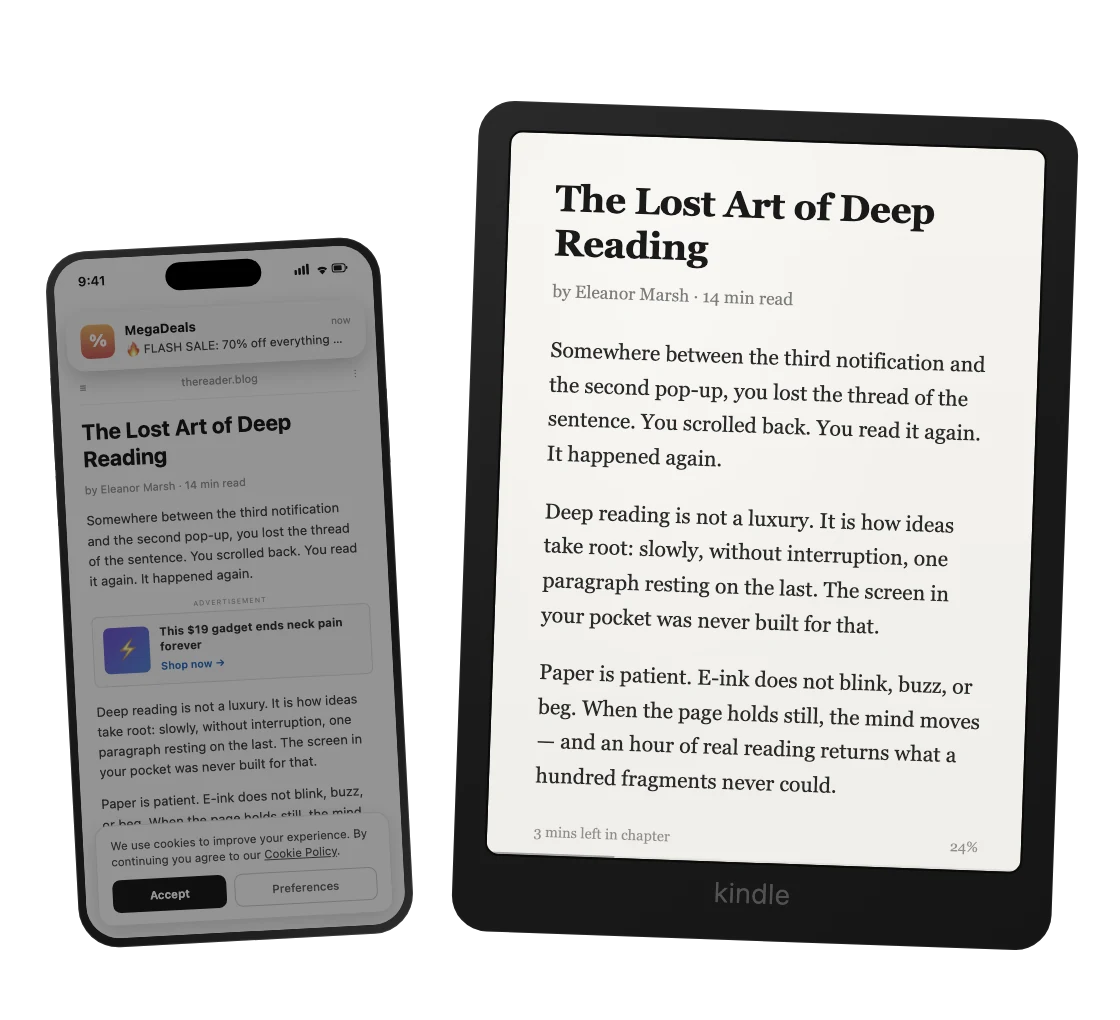
Send an article from your browser to Kindle, cleaned up for comfortable reading.
20 free deliveries a month. No credit card required.
Your own email, not your Kindle address — we'll send a one-time sign-in code.
18,600+ articles and documents delivered · readers in 110+ countries
Reading on this computer?
One click in the toolbar sends the page you're on. No phone needed.


Prefer the iPhone app?
Point your camera at the code to get DropKind on the App Store.

From your browser to Kindle
Paste an article link or use the extension to send the page open in your browser — including after signing in to a site.

Good articles deserve time to be read. Send them to Kindle and return to them when it suits you.
Chrome, Edge, Brave, Arc and other Chromium browsers.
Files just work, too: PDF, EPUB, DOC, Markdown, plain text — upload them on the web, share from your phone, or forward anything to @dropkind_bot on Telegram.
How it works
First, connect your Kindle: enter its email address and approve DropKind as a sender in your Amazon settings. We’ll guide you through each step. You only need to do this once.
Drop your content
Paste a link, upload a PDF, share from your phone, or forward to our Telegram bot — whatever you're reading, wherever you found it.
We prepare it for Kindle
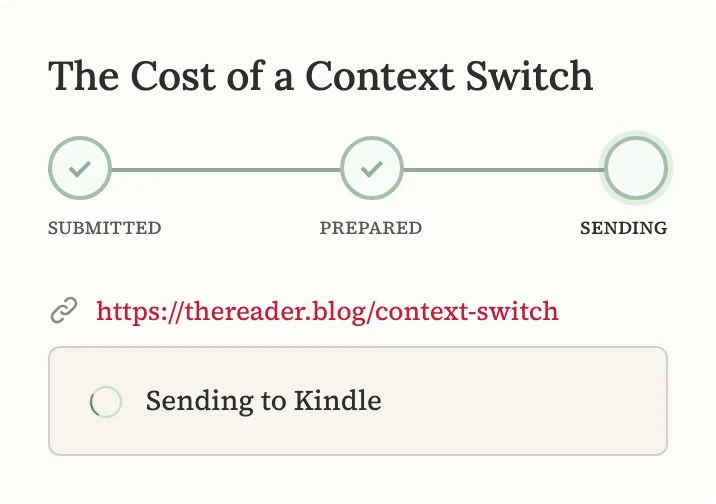
We extract the article text, remove clutter, and create an EPUB for comfortable reading.
Read it on your Kindle
We send the article to your Kindle library. You can check the sending status in DropKind.
PDFs made comfortable for Kindle
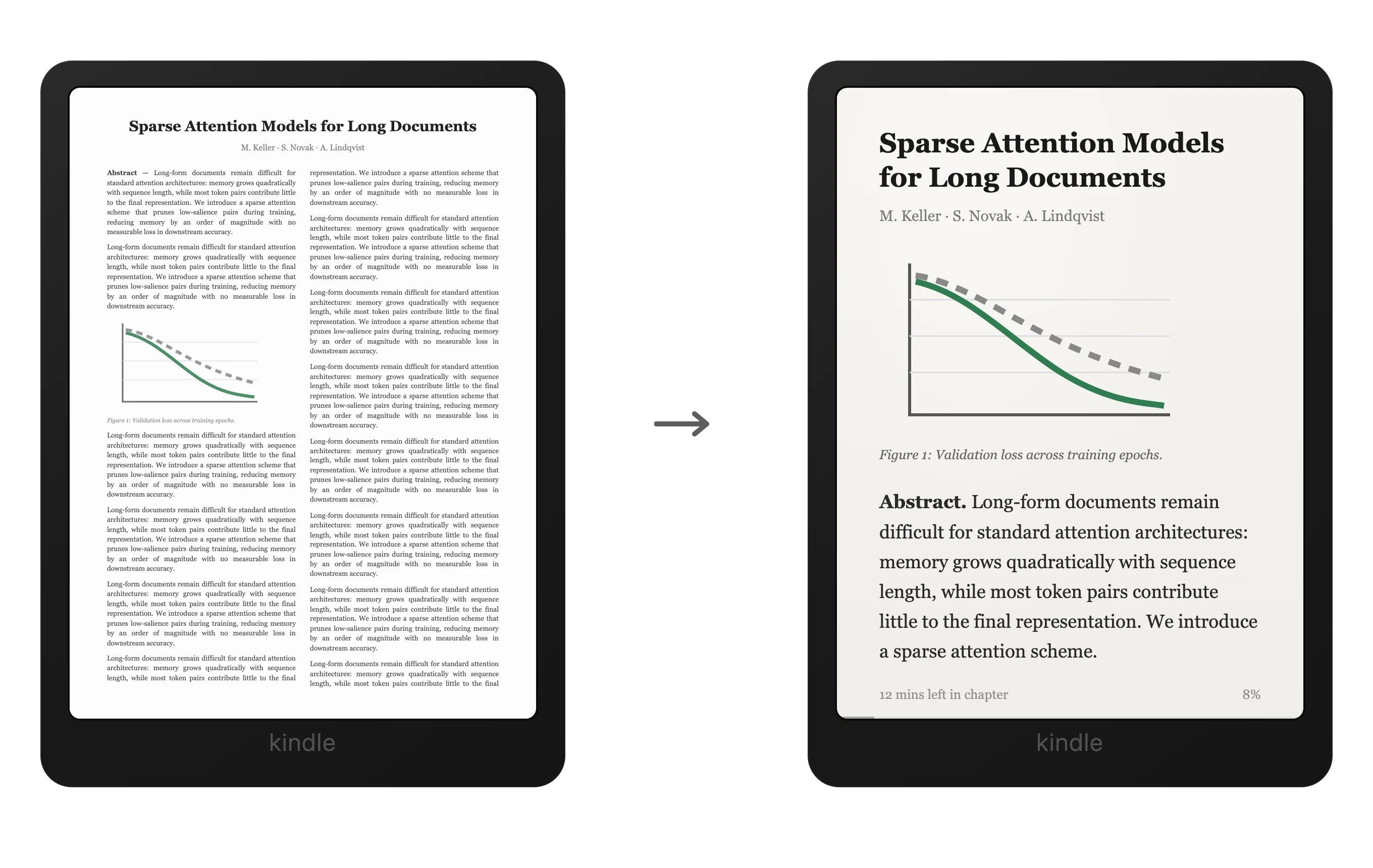
Convert a PDF to a reflowable EPUB: adjust the font size and read without constantly zooming in.
- EPUB conversion uses PDF credits. Credits are used only after the file is created and delivered.
- Sending the original PDF uses no PDF credits. It counts toward your plan’s monthly delivery limit.
Reading arXiv? Papers with an HTML version can be converted for free, within the arXiv limits. Convert an arXiv paper →
Ready to try it?
Your own email, not your Kindle address — we'll send a one-time sign-in code.
What readers say
"Works perfect for substack and X articles. I love it!"
"The setup process for my Kindle was very straightforward, and the interface is clean and easy to use. Everything worked smoothly, and I had my e-reader configured in just a few minutes."
"Super fast, sends the file instantly. Love the interface, no unnecessary pages or pop ups and it shows my history."
Questions & Answers
Why not just use Amazon's free Send to Kindle?
How do I connect my Kindle?
What file formats work?
Is my content private?
Does it work with Kindle apps?
Is DropKind free?
Your next great read is waiting.
Send your first article to Kindle — free, no credit card required.
Your own email, not your Kindle address — we'll send a one-time sign-in code.
Join readers who've rediscovered the joy of long-form reading.