Kindle Lab
What Send to Kindle really renders, tested on real devices
Amazon converts every EPUB you send to a Kindle, and the device shows the conversion, not your file. Each row was checked by sending a small test book to a device; the test books are free, so you can repeat a check on yours. A grey cell is a device nobody has reported yet.
Start here: one book for any Kindle
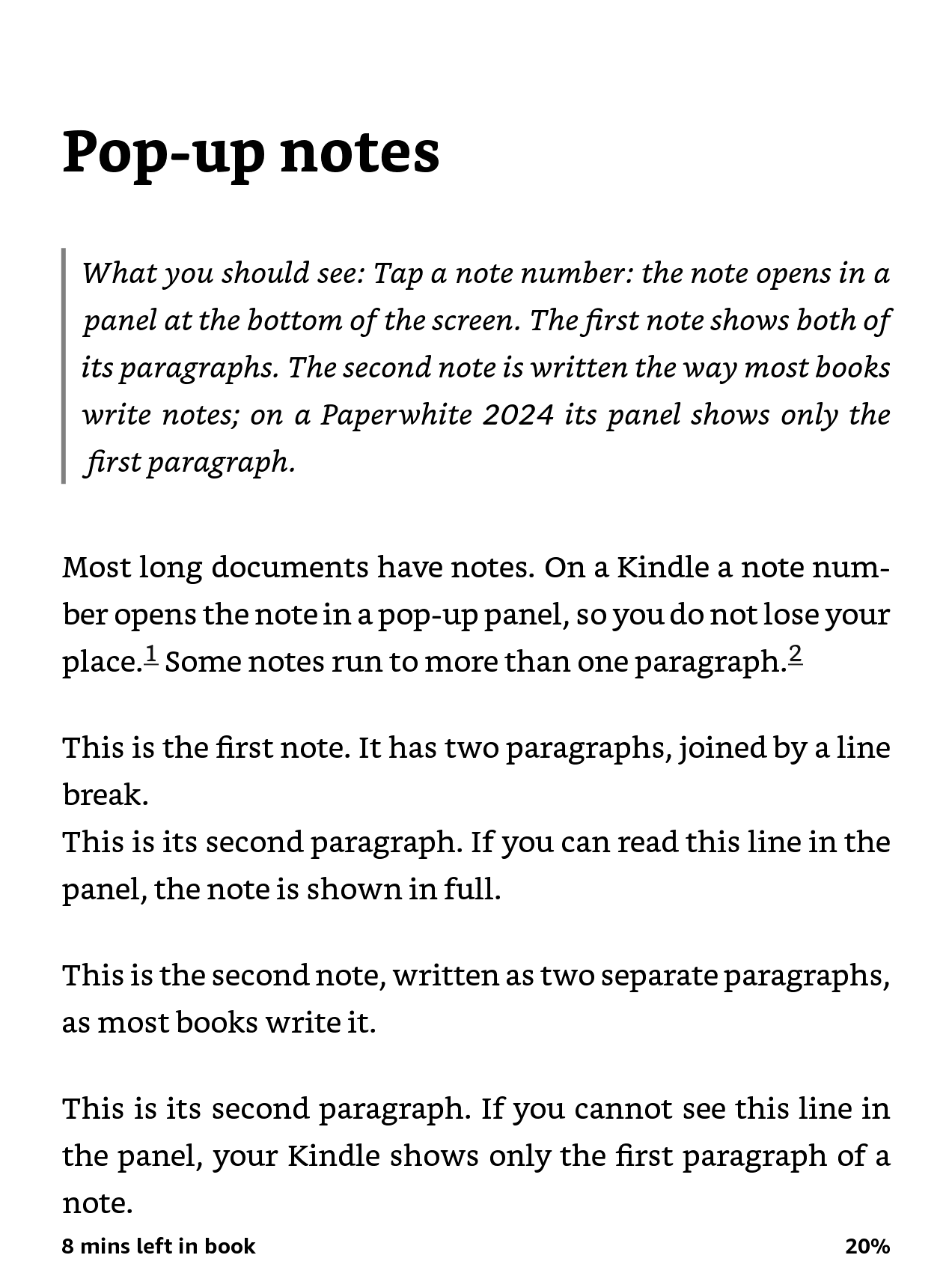
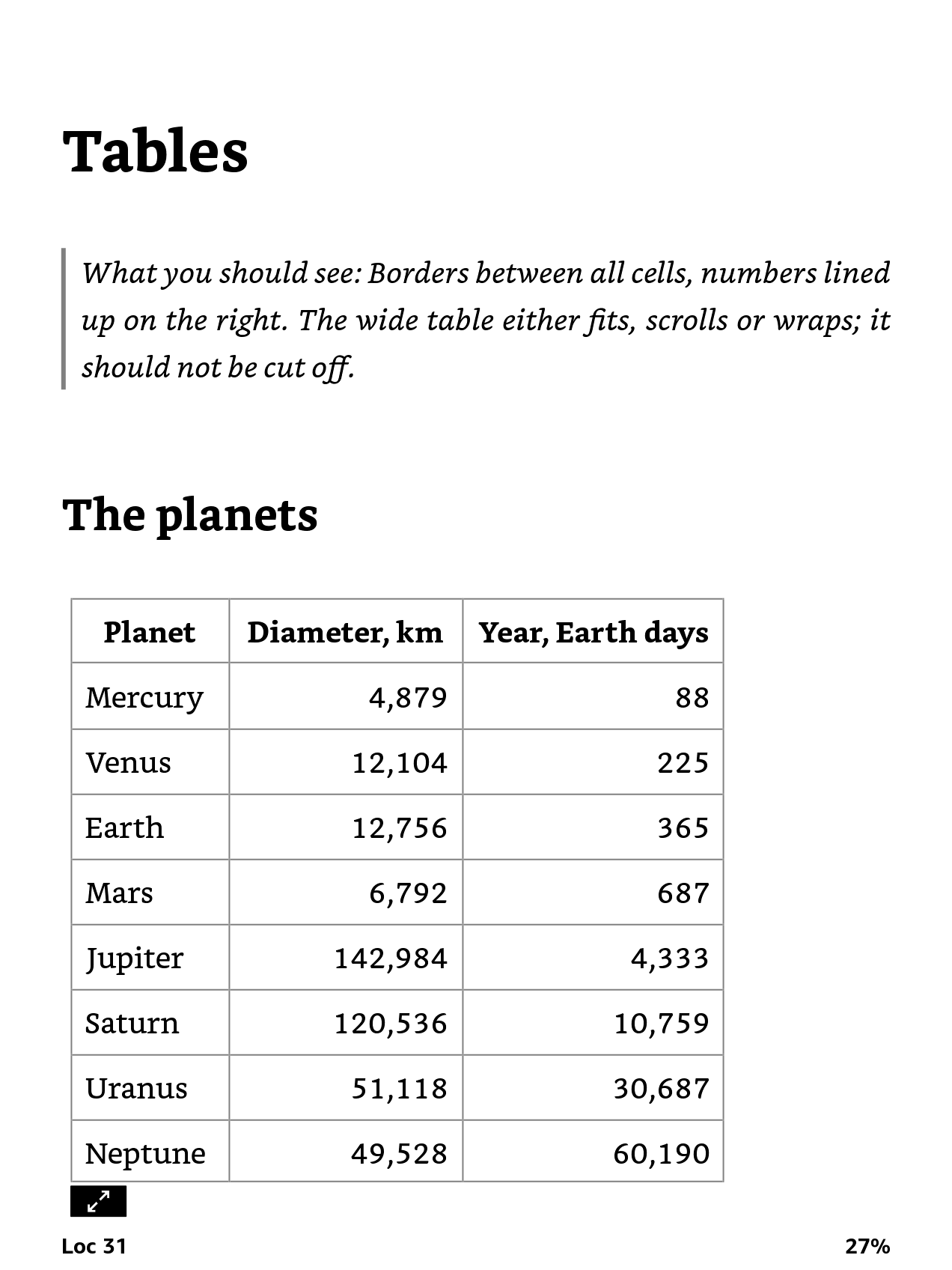
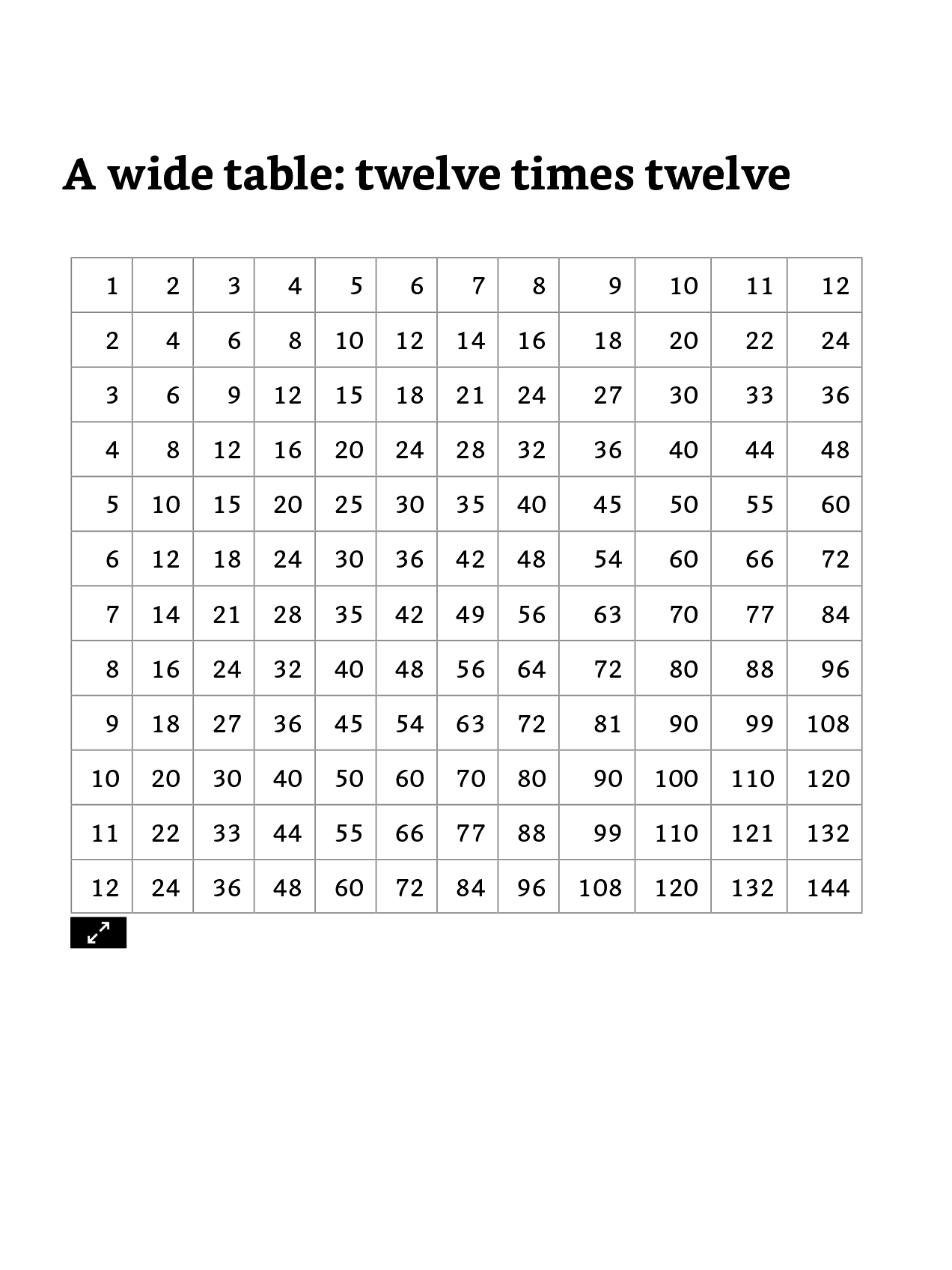
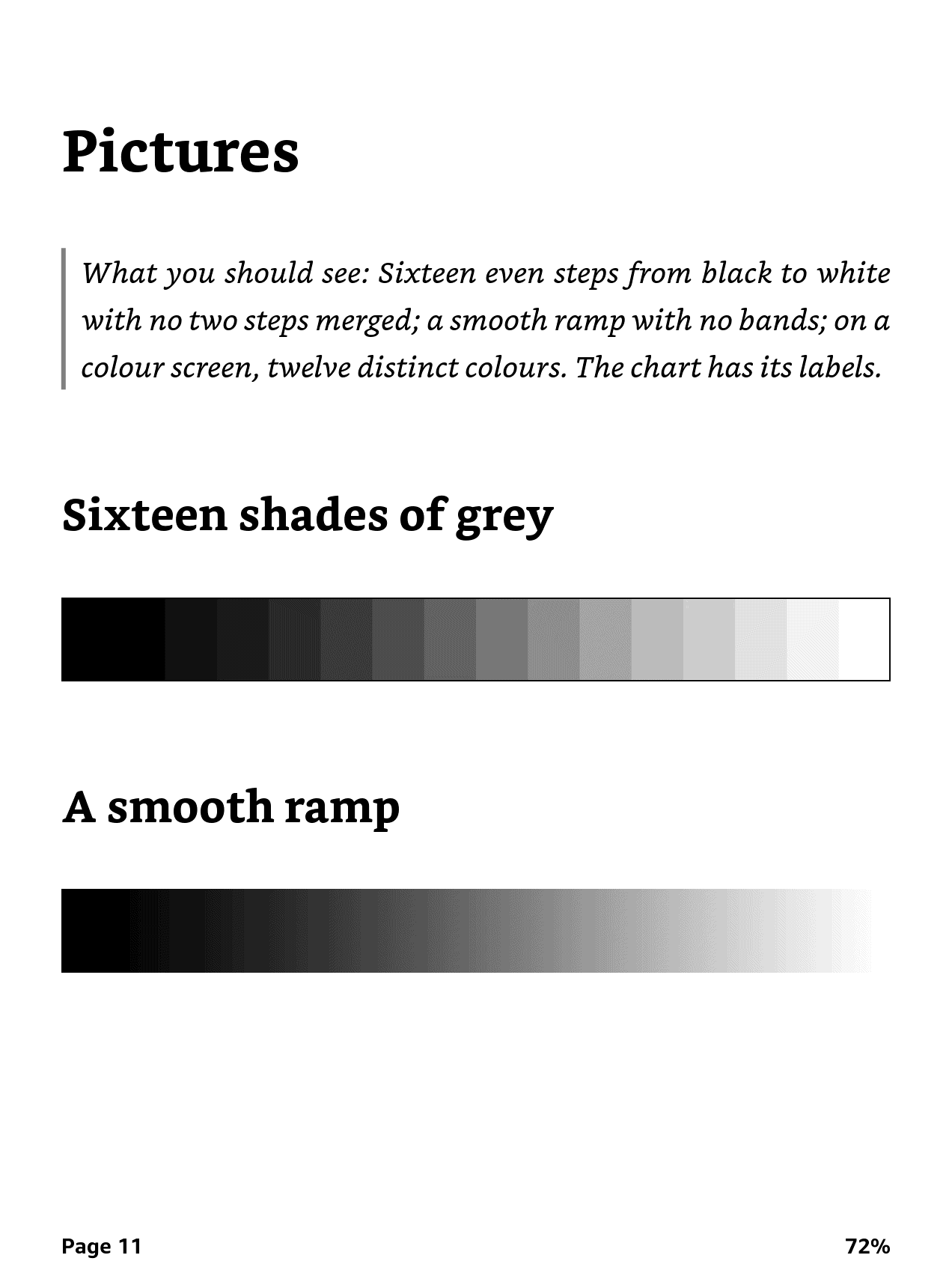
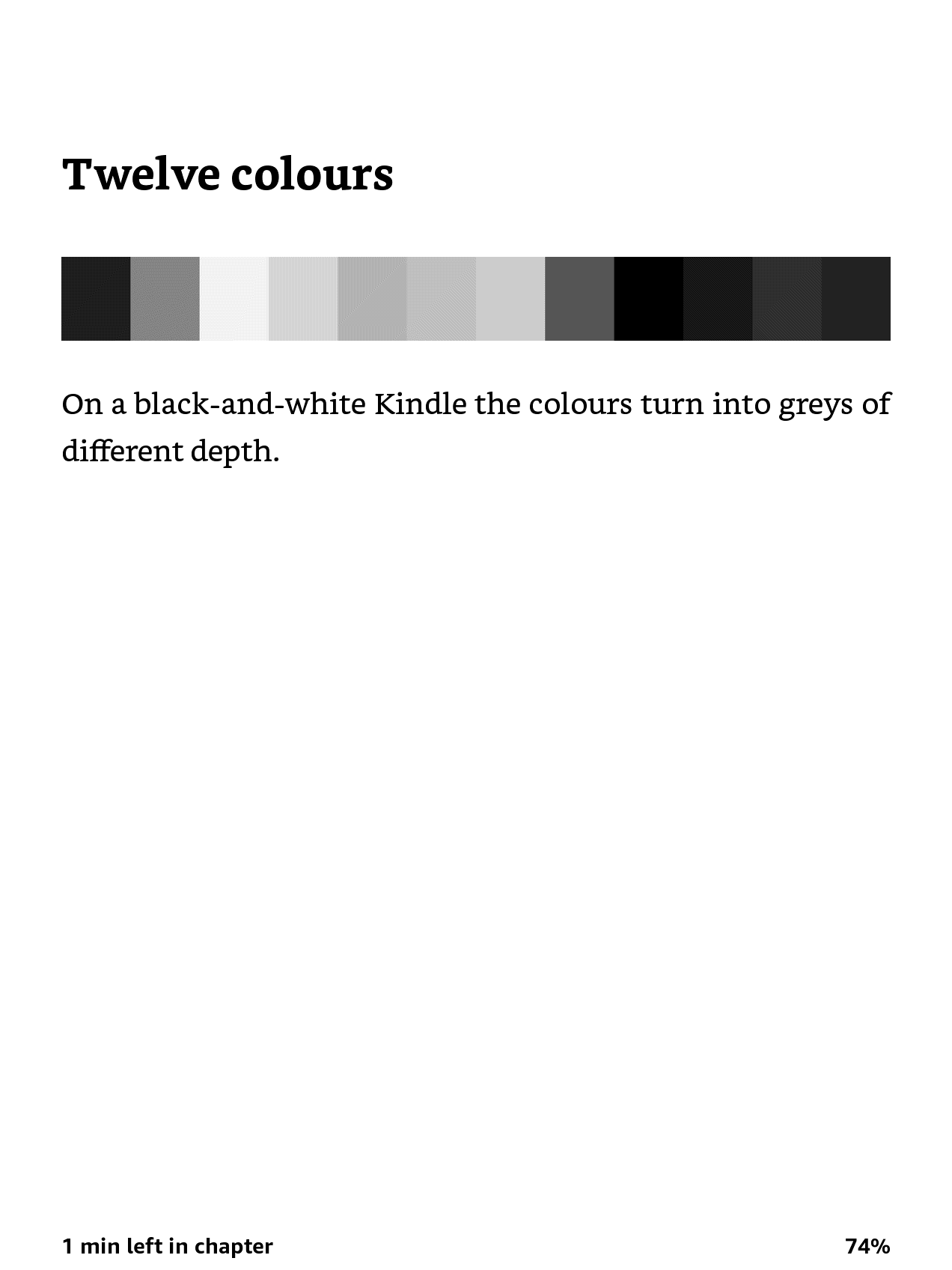
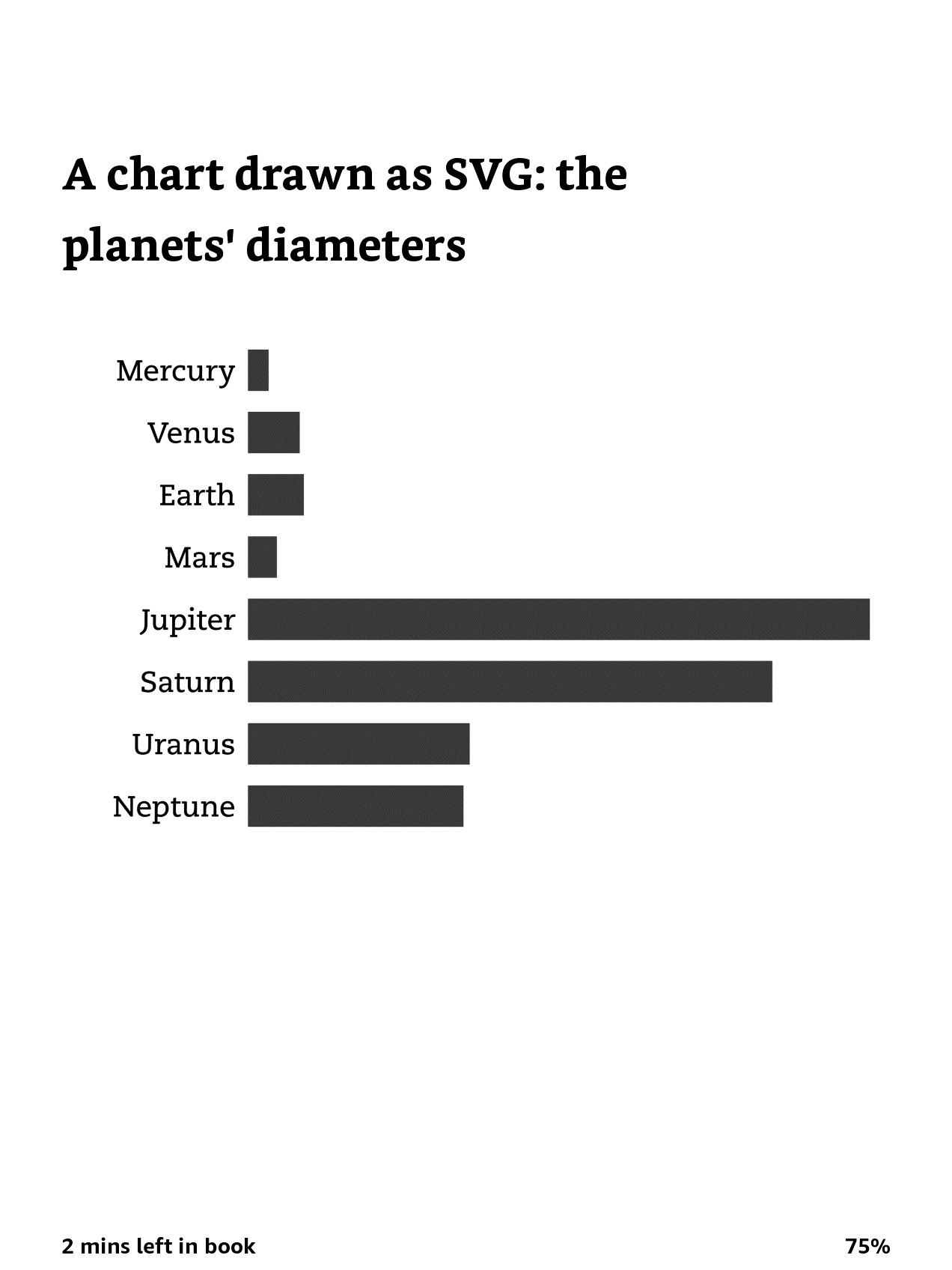
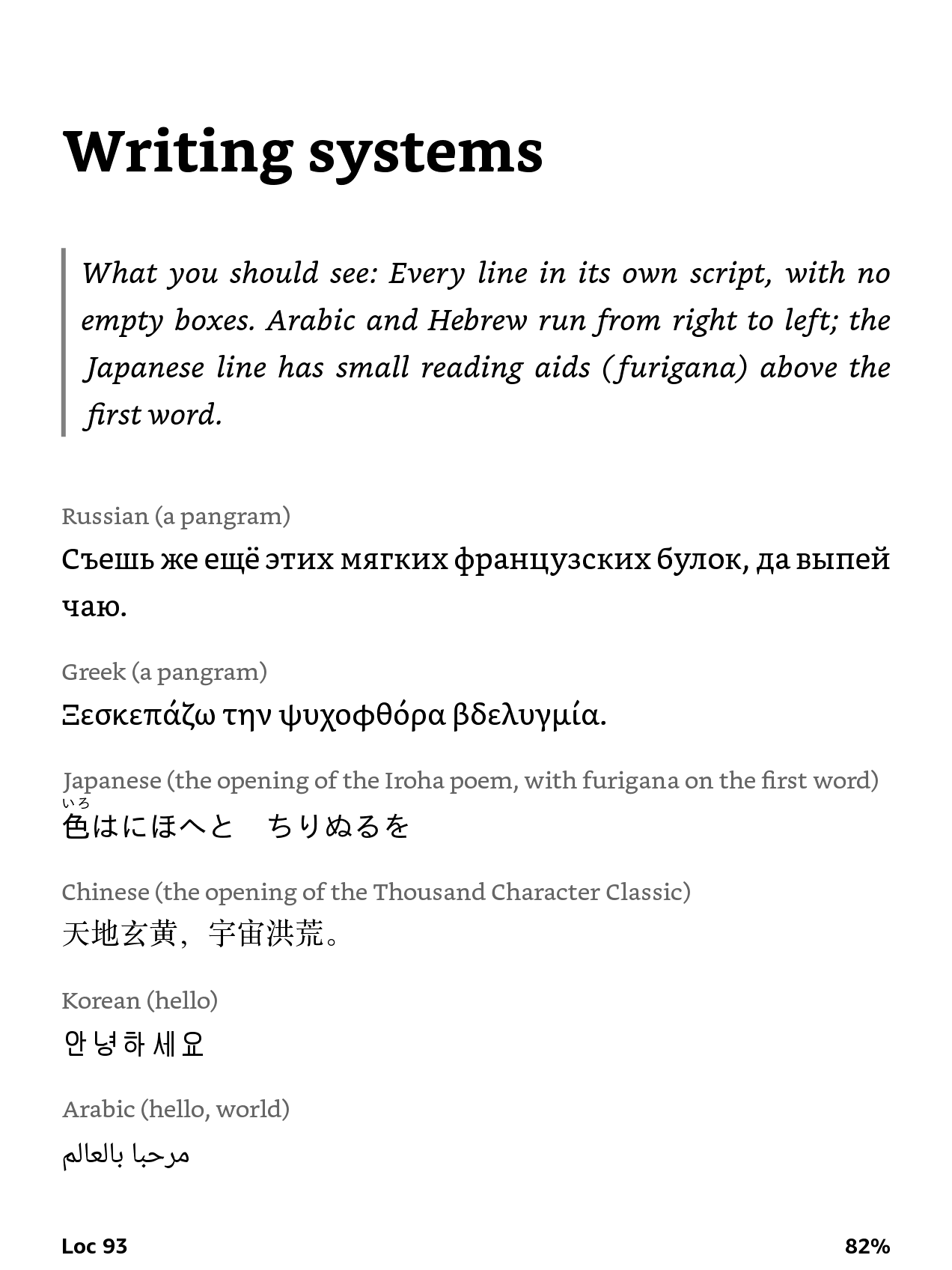
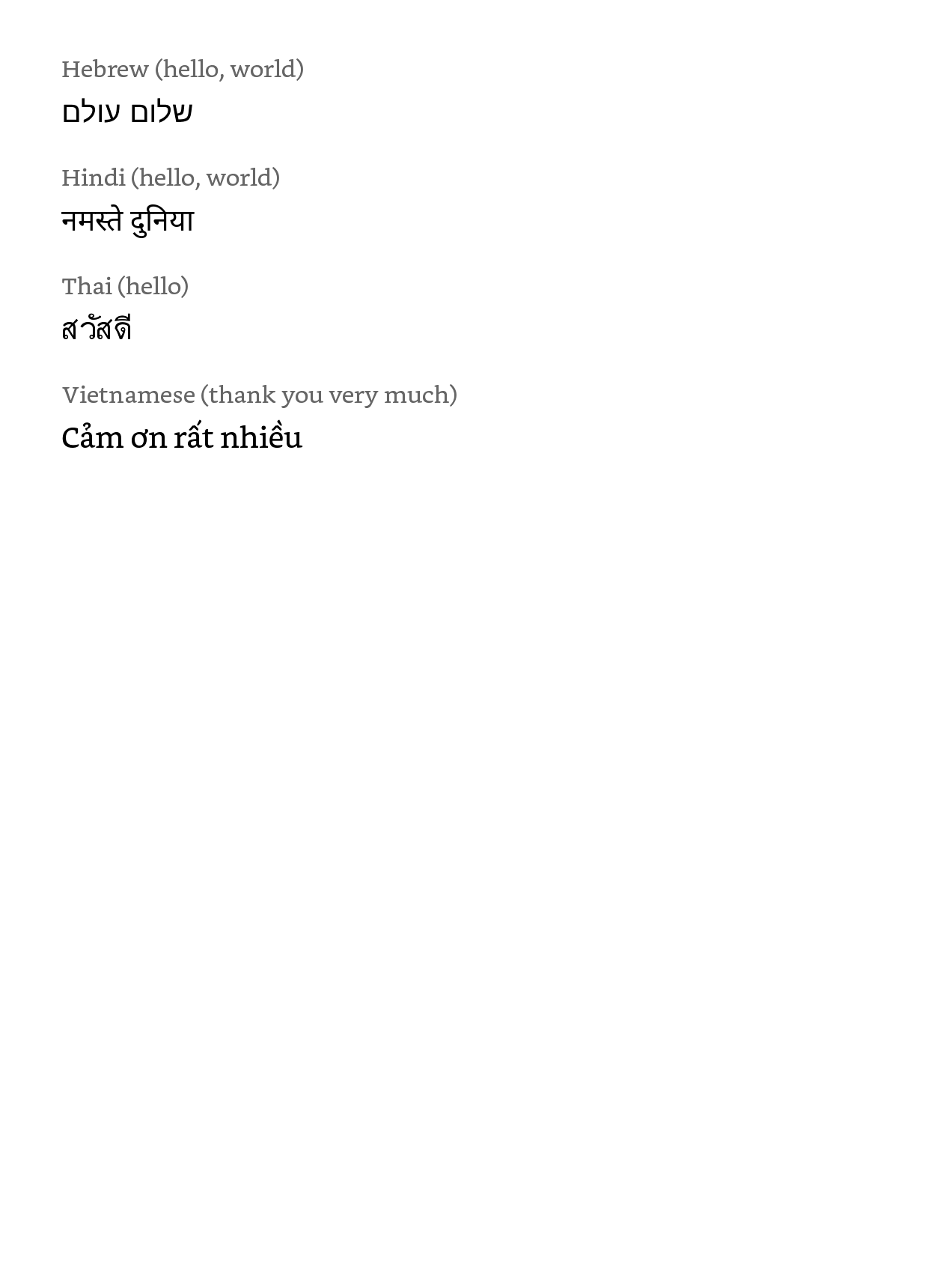
One book to flip through: famous formulas, pop-up notes, tables, code, shades of grey and colour, ten writing systems and emoji. Send it to your Kindle as you send anything else (Send to Kindle email, app or website), open it on the device and turn the pages. Each page says what you should see, so a page that looks wrong is a finding. Reviewing a new Kindle? This is a ten-minute test of how it handles documents.
Download The Kindle Test Book (EPUB)
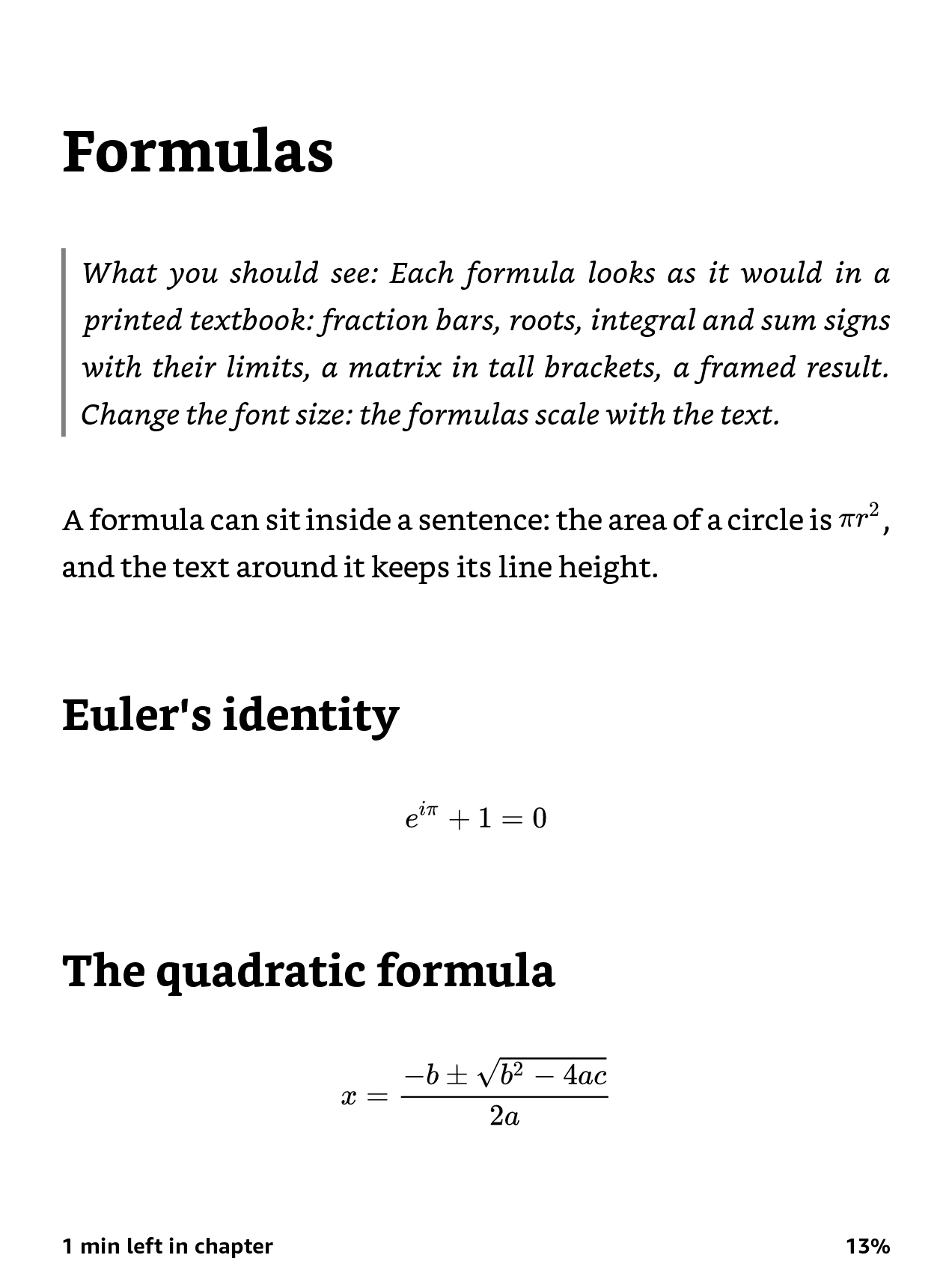
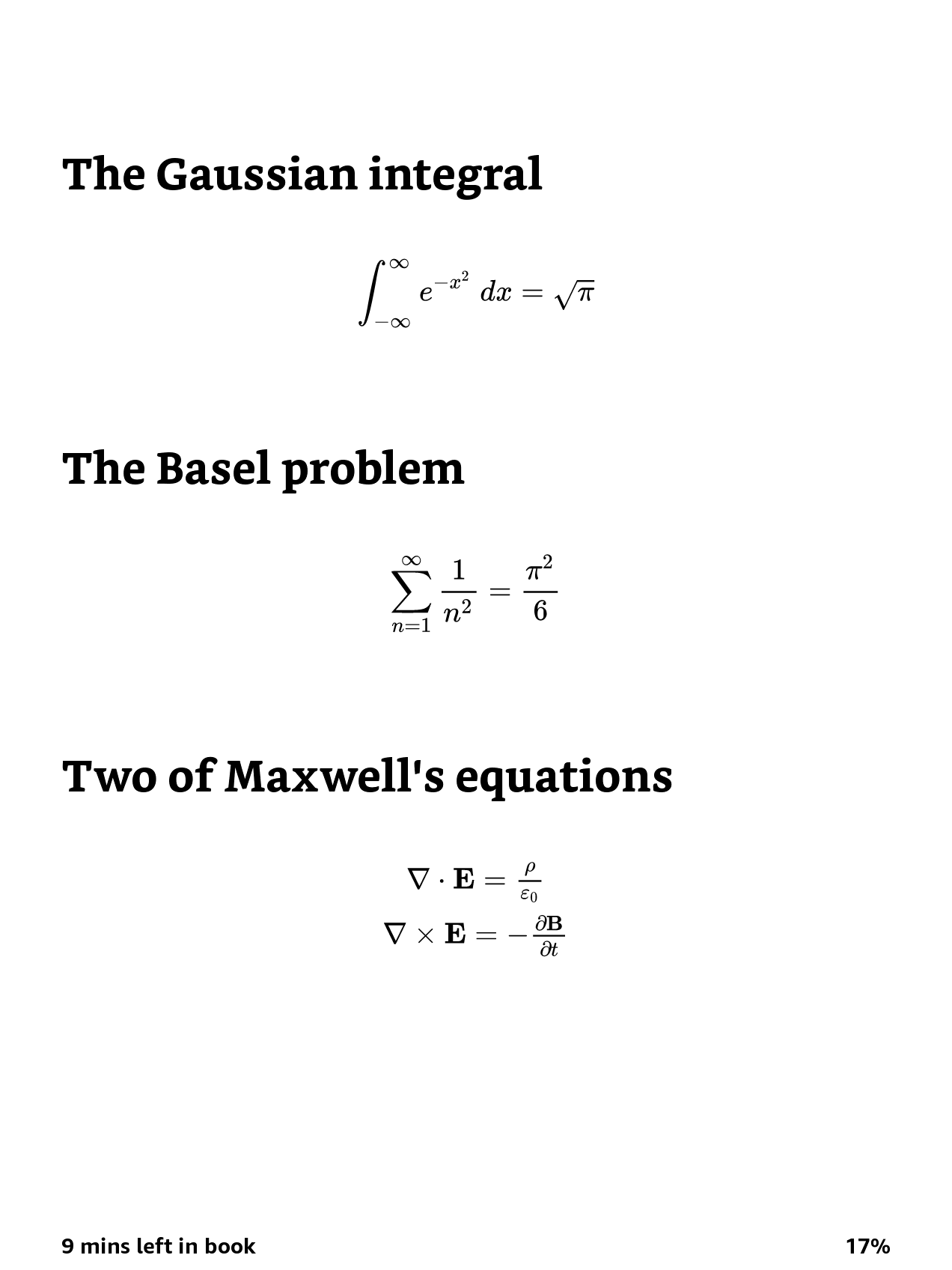
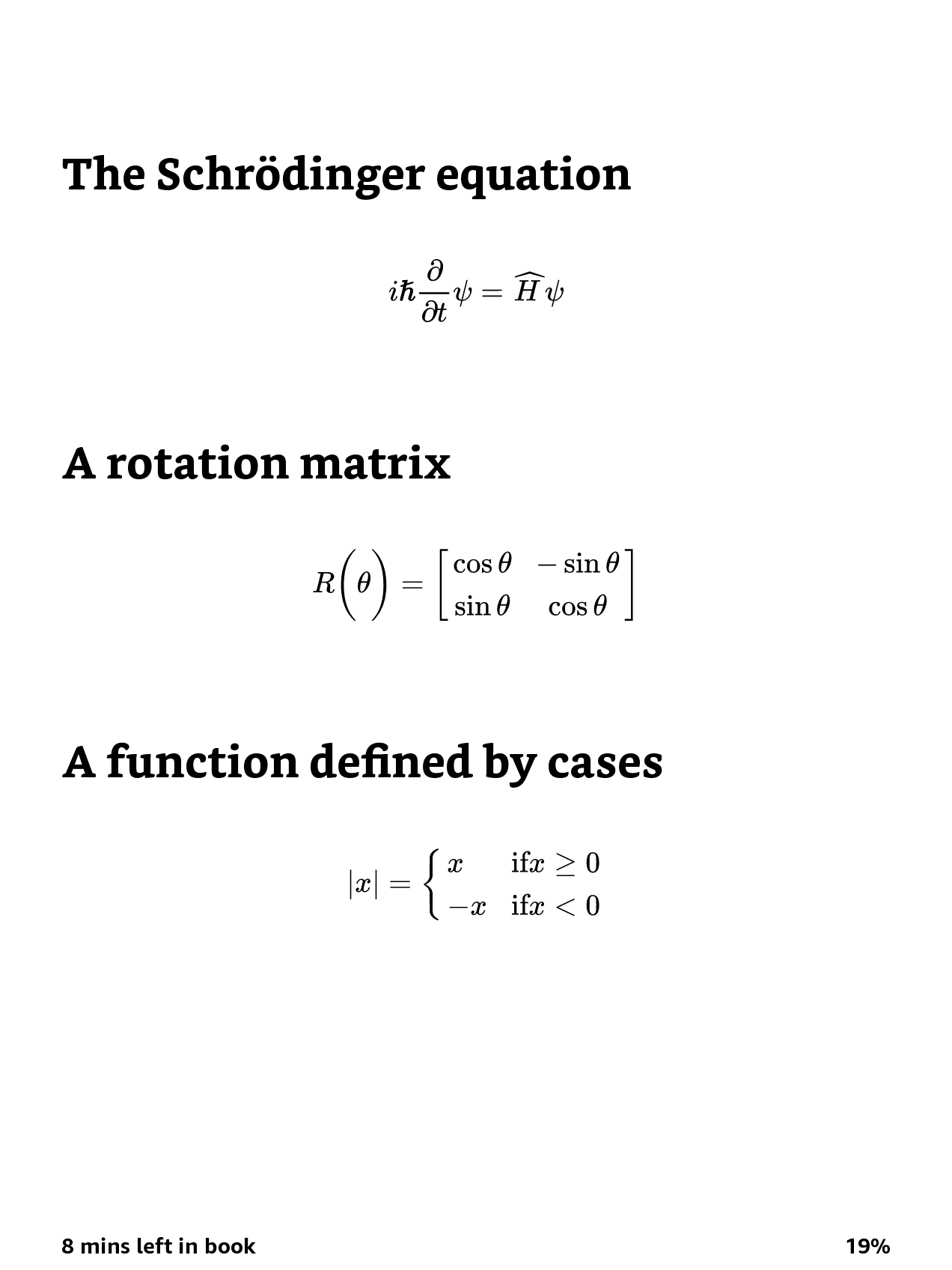
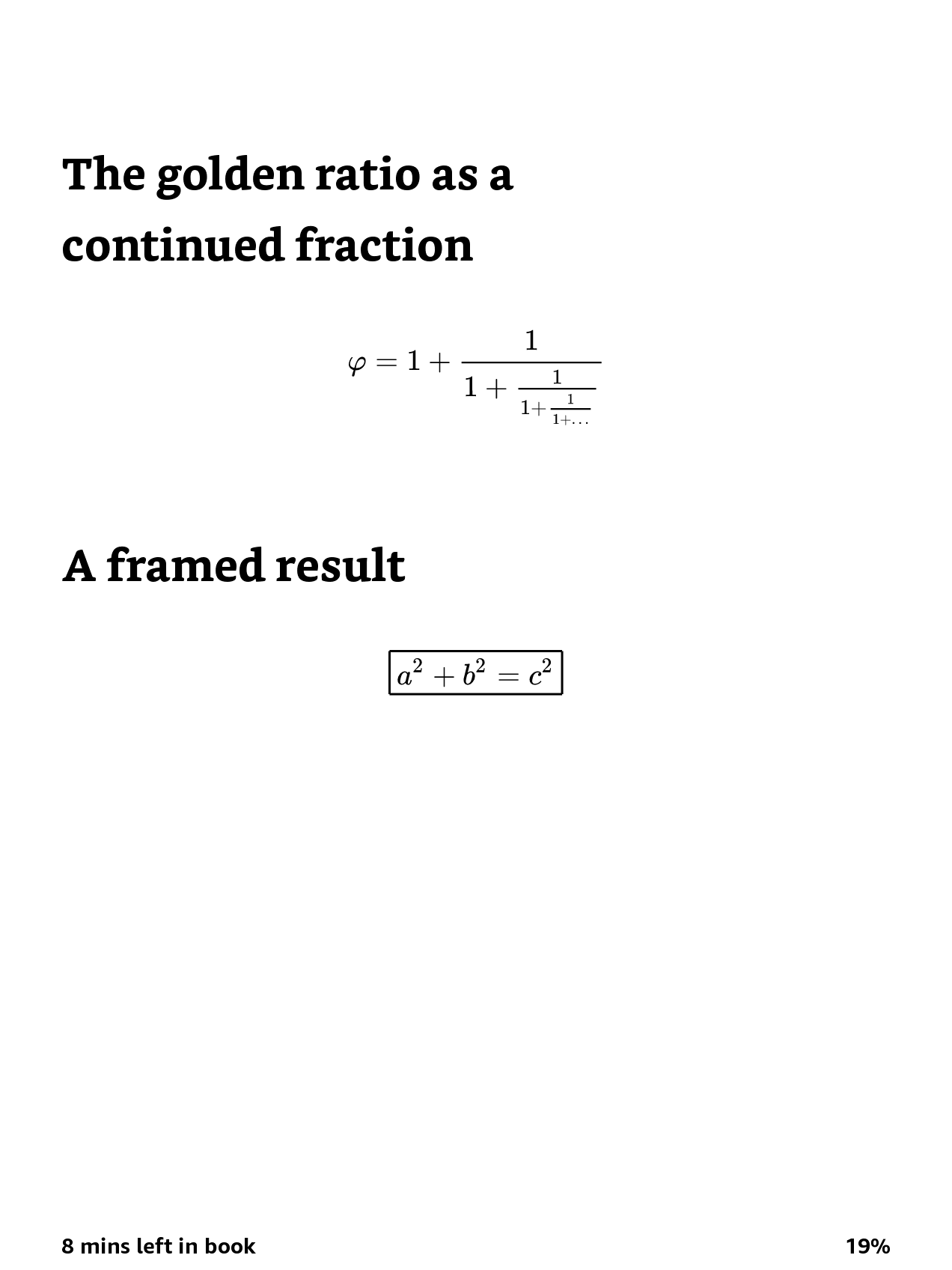
How it looks on a Kindle Paperwhite (12th generation, 2024), firmware 5.20.1.0.2
Results by device
- ✓ Works
- ◐ Needs a workaround
- ✗ Breaks the book
- • Behaviour
- ? Not tested yet
MathML elements
✓ 29 of 31
Sep 2026
?
?
?
?
?
29 of the 31 MathML elements Amazon documents render and reflow, with the font size working as in any book: inline and display math, fractions, roots, scripts, under and over, prescripts, tables with labelled rows, fenced, padded, phantom, text and spacing, style attributes, semantics. menclose has rows of its own.
- Kindle Paperwhite (12th generation, 2024), firmware not recorded, September 09, 2026, Send to Kindle email
menclose notation="longdiv"
✗ Locks the book
fw 5.20.1.0.2
?
?
?
?
?
One menclose drawn as long division anywhere in the book turns the whole book into a fixed page: it opens, but the font size cannot be changed and the page reads like a PDF. Amazon lists menclose as supported and mlongdiv as unsupported.
Workaround: Give every menclose an explicit notation other than longdiv (box works), or replace it with mrow.
- Kindle Paperwhite (12th generation, 2024), firmware 5.20.1.0.2, November 07, 2026, Send to Kindle email, with the mrow control book, which reflowed
Test book kindle-lab-menclose-longdiv.epub Test book kindle-lab-menclose-control.epub Link to this row
menclose with no notation
✗ Locks the book
fw 5.20.1.0.2
?
?
?
?
?
A bare menclose does the same as longdiv, because MathML makes long division the default. This is how most converters write it.
Workaround: Add notation="box" (or another notation), or replace the menclose with mrow.
- Kindle Paperwhite (12th generation, 2024), firmware not recorded, September 09, 2026, Send to Kindle email; found by sending one book per element
- Kindle Paperwhite (12th generation, 2024), firmware 5.20.1.0.2, November 07, 2026, Send to Kindle email, with the mrow control book, which reflowed
Test book kindle-lab-menclose-default.epub Test book kindle-lab-menclose-control.epub Link to this row
menclose notation="box"
✓ Frame drawn
fw 5.20.1.0.2
?
?
?
?
?
The frame is drawn around the content and the book reflows: the font size changes as usual.
- Kindle Paperwhite (12th generation, 2024), firmware 5.20.1.0.2, November 07, 2026, Send to Kindle email
Test book kindle-lab-menclose-box.epub Test book kindle-lab-menclose-control.epub Link to this row
Pop-up footnotes
◐ First block only
Nov 2026
?
?
?
?
?
A note reference opens the note in a panel at the bottom of the screen, with aside epub:type="footnote" or with plain links. The panel shows only the first block of the note: a second paragraph, div or block span is lost.
Workaround: Write a note as one p, with br between its paragraphs. The panel then shows all of it.
- Kindle Paperwhite (12th generation, 2024), firmware not recorded, November 02, 2026, Send to Kindle email
Full-page images
◐ SVG only
Nov 2026
?
?
?
?
?
The book's CSS never scales an image above its own size, so a 600 px cover fills only part of the screen. A page whose body is one SVG with a viewBox and preserveAspectRatio="xMidYMid meet" around an image scales the picture to the screen and keeps its shape.
Workaround: Wrap a full-page picture in an SVG with a viewBox of the image's size.
- Kindle Paperwhite (12th generation, 2024), firmware not recorded, November 03, 2026, Send to Kindle email
Writing systems
✓ All 10
fw 5.20.1.0.2
?
?
?
?
?
Lines in Russian, Greek, Japanese (with furigana), Chinese, Korean, Arabic and Hebrew (right to left), Hindi, Thai and Vietnamese all show in their own scripts, with no empty boxes, without any font in the book.
- Kindle Paperwhite (12th generation, 2024), firmware 5.20.1.0.2, November 08, 2026, Send to Kindle email, The Kindle Test Book
Code blocks
◐ Justified
fw 5.20.1.0.2
?
?
?
?
?
A pre block with no text-align of its own is justified like body text: the spaces inside each line stretch, so the indentation and alignment of code are lost. The same block with text-align: left keeps its spacing.
Workaround: Give pre text-align: left (and white-space: pre-wrap, so long lines wrap).
- Kindle Paperwhite (12th generation, 2024), firmware 5.20.1.0.2, November 08, 2026, Send to Kindle email, The Kindle Test Book
Emoji
◐ Empty boxes
fw 5.20.1.0.2
?
?
?
?
?
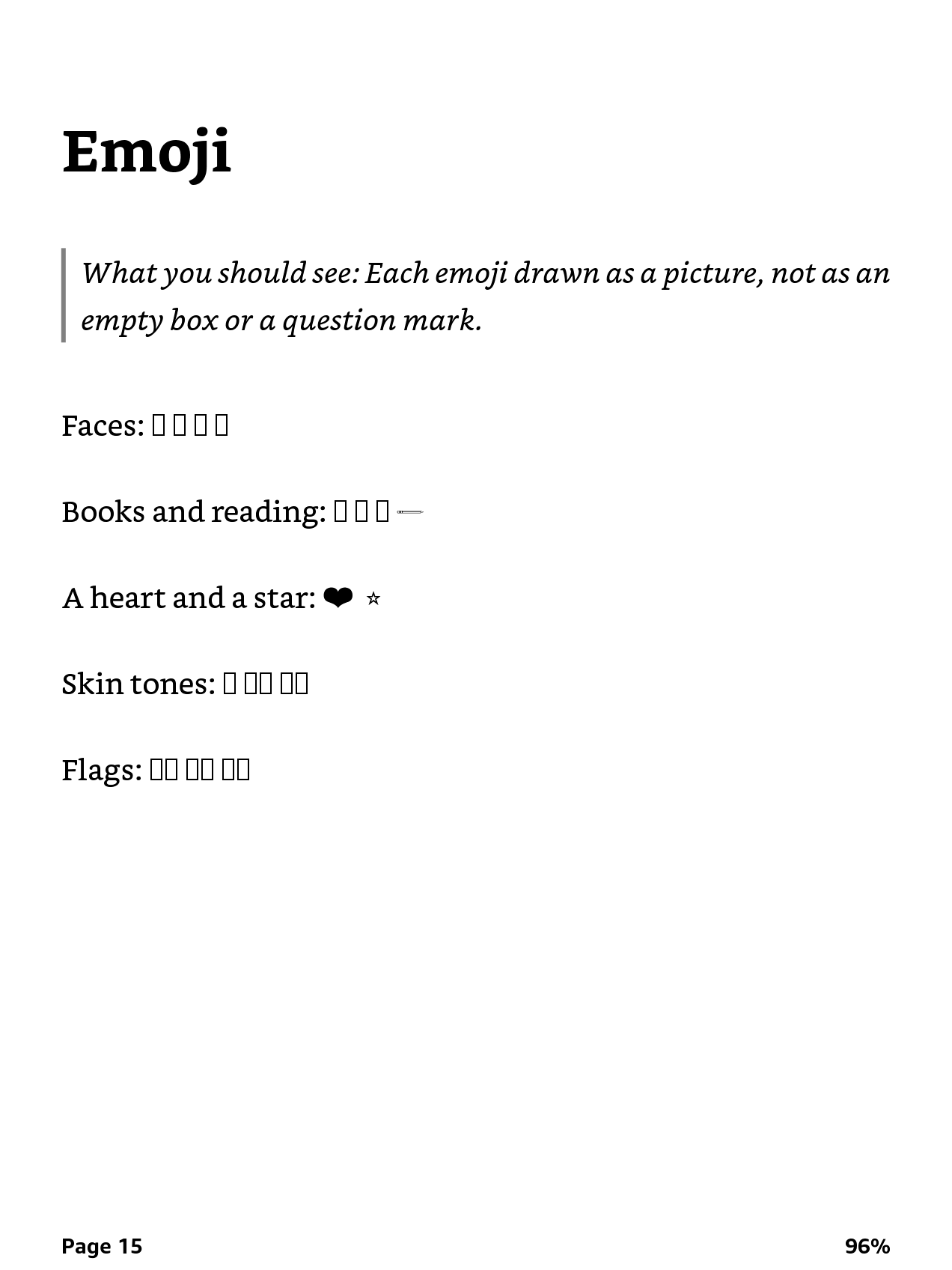
The device has no emoji font. Faces, books, skin tones and flags show as empty boxes. Only the old text symbols survive, drawn in black: a heart (❤) and a star (⭐); the pencil (✏️) shows as a thin line.
Workaround: Remove emoji before sending, or replace them with small images. DropKind removes them.
- Kindle Paperwhite (12th generation, 2024), firmware 5.20.1.0.2, November 08, 2026, Send to Kindle email, The Kindle Test Book
Title in the library
• File name
Nov 2026
?
?
?
?
?
The library and the book's header show the attachment's file name, not the title written inside the EPUB (dc:title). A non-ASCII file name works: a Cyrillic name shows as written.
Workaround: Name the file the way you want the title to read, spaces and all.
- Kindle Paperwhite (12th generation, 2024), firmware not recorded, November 03, 2026, Send to Kindle email (attachment)
Test book kindle-lab-title-from-filename.epub Link to this row
Format on the device
• KFX
Sep 2026
?
?
?
?
?
An EPUB sent through Send to Kindle is stored on the device as KFX, the Enhanced Typesetting format. That is the format Amazon documents MathML support for, so the rows above are about KFX, not the older AZW3.
- Kindle Paperwhite (12th generation, 2024), firmware not recorded, September 10, 2026, USB file listing of documents/Downloads/Items01
Download stuck at 1%
• Remove, retry
Sep 2026
?
?
?
?
?
A document can show its cover and still not open: tapping it says Queued, then Downloading 1%, then falls back to the cover. A restart does not clear it. It happens to files of every size and source.
Workaround: Long-press the cover, Remove download, tap the cover again: the second download works.
- Kindle Paperwhite (12th generation, 2024), firmware not recorded, September 09, 2026, Eight documents, each valid by epubcheck
No feature matches the filter.
Test books
Each book tests one thing and says on its first page what a correct result looks like. Send it to your Kindle the way you send anything else (Send to Kindle email, app or web), then open it on the device, not in a desktop reader.
-
The Kindle Test Book.epub
One book to flip through: famous formulas, pop-up notes, tables, code, pictures, grey and colour, ten writing systems and emoji, each on its own page with a line saying what you should see. Start here.
-
kindle-lab-menclose-longdiv.epub
Whether one MathML menclose drawn as a long division (notation="longdiv") turns the whole book into a fixed page. Send it with the control book (kindle-lab-menclose-control.epub) the same way.
-
kindle-lab-menclose-default.epub
The same test with a bare menclose, no notation attribute. MathML makes long division the default, so this is how most tools write it by accident.
-
kindle-lab-menclose-box.epub
The same test with menclose notation="box": a frame around a + b.
-
kindle-lab-menclose-control.epub
The control for the menclose books: the same text and formula, with mrow in place of menclose.
-
kindle-lab-mathml-elements.epub
Which documented MathML elements render in a Send to Kindle document, one numbered case each. menclose has a book of its own.
-
kindle-lab-footnotes.epub
How much of a two-paragraph note the pop-up shows, for six ways of writing the note.
-
kindle-lab-full-page-cover.epub
How a page that holds one picture scales: the next page wraps a 600 × 926 frame in an SVG box, the page after that shows the same frame as an img.
-
kindle-lab-title-from-filename.epub
Which name the library shows: the file name of the attachment (kindle-lab-title-from-filename.epub) or the title written inside the book (Kindle Lab: the title written inside this book).
Report a result from your Kindle
Tried a test book on your Kindle? Report it with your Kindle model, its firmware (Settings, Device Options, Device Info), your Amazon region and how you sent the book. A failure is as useful as a pass; every report goes into the table. A question mark in the table opens the report form for that row and device.